





Product Demo Portal

Let buyers see your product first

A demo centre on your website, organised by role, so buyers explore before they call

demo-library-hero
Buyers arrive informed
Warmer first calls
Fewer silent exits

Sound familiar?

Buyers want to see for themselves before a call

Your website asks for a meeting before it shows anyone anything

A head of finance finds your website at nine in the evening, wanting to see whether your product handles multi-currency.

The only option is "Book a demo", so she closes the tab and tries a competitor who lets her click around.

You never knew she was there.

  • One tour for every visitor
  • "Book a demo" as the only option
  • Your demos scattered across your site
  • No idea who watched what

Each of these quietly costs you deals.

Where it starts

Four signs your website needs demos

Most teams notice one of these long before the others
Traffic

Falling enquiries

Plenty of visitors to your website, very few demo requests, and the ones you get are from students and competitors.
One size

One tour for all

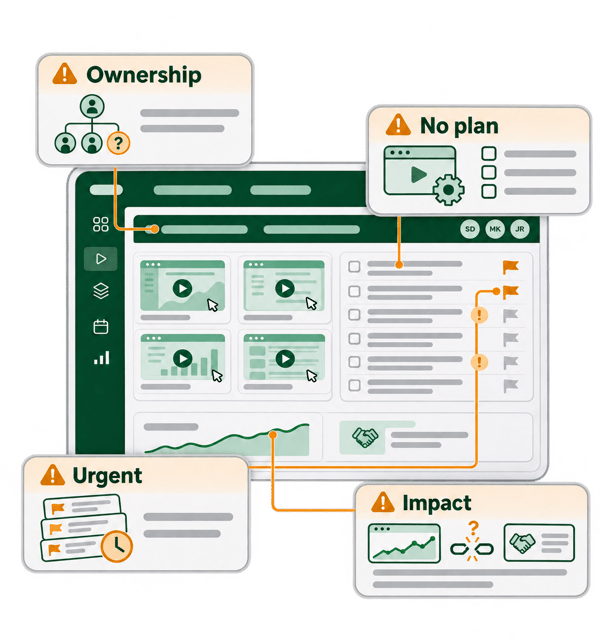
Your two lonely product tours try to speak to finance, IT and operations at once, and speaks to none of them.
Scattered

Demos all over the place

Your demos live on product pages, in blog posts and in old emails. Nobody can find all of them.
Follow-up

Blind follow-up

Your sales team calls a lead without knowing which of your demos they watched, or where they stopped.
The real gap

Buyers trust what they can see for themeselves

Your product pages describe your software; a demo shows it working.

Your product pages tell buyers what your software does. A demo lets them watch it happen, at their own pace.

Something to try yourself: Open your own website as a buyer and count the clicks it takes to see your product working.

  • Pick their role or problem
  • Watch a demo of their own work
  • Go deeper when they're ready
  • Ask for a call when they choose

Then your sales team calls someone who already knows what they're looking at.

How it works

One place for every demo you have

We organise your demos by who's looking, on your website, linked to your CRM.

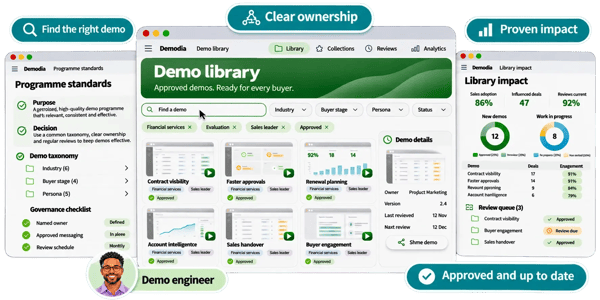
A Demo Portal is a demo centre on your website. We sort your demos by role and problem, fill any gaps, and connect it to your CRM.

Buyers find their own demos, in their own time, and your sales team sees which ones known contacts explored.

  • Story: by role and problem
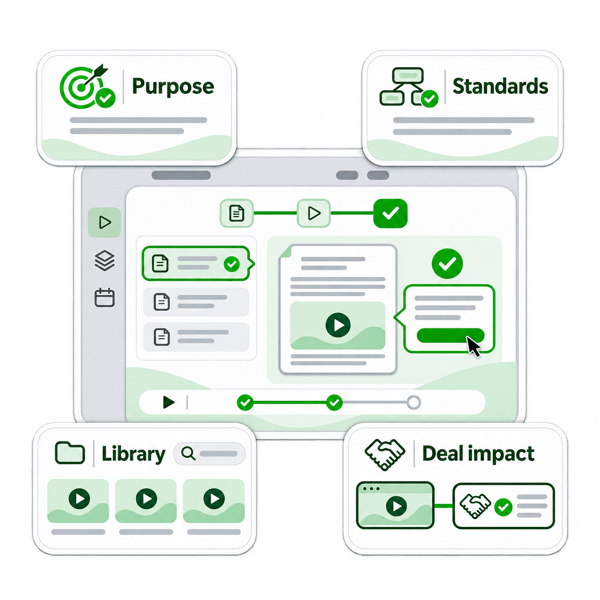
    We group your demos by who's looking and what they're trying to fix, so each buyer finds theirs fast.

  • Build: fill your gaps
    Where a role or problem has no demo yet, we build one, in your existing demo platform.

  • Deliver: on your website
    Your portal sits on your own website, styled to match it, with a clear route to a call.

  • Operate: tracked in your CRM
    Demo engagement from known contacts flows into your CRM, so your sales team can see who explored what.

Start with 45 minutes

The first step costs nothing and shows what buyers can see today
Step 1

Book a demo health check

45 minutes on your existing demos and what buyers can see today.

Step 2

We map and fill

Your demos sorted by role and problem, with any gaps built.
Step 3

You launch

Your portal goes live on your website, tracked in your CRM.
What changes

What changes when buyers see your product first

Your first calls start further along, with people who've already seen it working

Confidence you'll feel

  • buyers who arrive already informed

  • first calls that start further along

  • fewer visitors leaving without a trace

Clarity you'll see

  • your demos organised by role and problem

  • one place for every demo you share

  • an easy route from a demo to a call

Insight you'll rely on

  • which demos known contacts explored

  • engagement on the right record in your CRM

  • evidence of what buyers want to see

Trusted by names you know

Proven where demos are complex

For almost 20 years, enterprises and specialist software and services firms with long, complex sales have trusted us to build and operate the demo systems their revenue relies on.
opentext-logo-grey
Extedologo-logo-grey
sap-logo-grey
logisense-logo
commvault-logo-grey
globalcents-logo-grey-1
wertheim-logo-grey
qellus-logo-grey

Jaw-dropping product demonstrations

"Demodia created a set of tools and scripts that enabled our global sales organisation to consistently deliver compelling product demonstrations."
Anik Ganguly
EVP Products - OpenText

Created consistent cross-team messaging

"Demodia's storytelling consulting created significant value across our sales and marketing departments, helping us develop a consistent message that is used by all."
Monte Brookshier
Chief Executive Officer - CRI Advantage

Interactive demos with higher satisfaction and conversion rates

"Newer buyers are more interested in doing discovery themselves. They get a real feeling of the product you're trying to get them to buy, because they're really experiencing the Ul they'd use in real life."
Neil Wilson
Head of Technical Marketing - OpenText Corporation
Frequently Asked Questions

Your questions, answered

What people usually ask before handing their demos over.
What is a Demo Portal?

It's a demo centre on your website. We sort your demos by role and problem, build any that are missing, and connect your portal to your CRM.

Buyers explore your product in their own time, and your sales team can see which demos known contacts watched before they get in touch.

Do we need a new website?

No. Your portal sits on your existing website.

If your site runs on HubSpot, we can build it there as part of Website Operations; if it doesn't, we'll talk through the options with your web team during the Health Check.

Will it replace our sales calls?

No. It means the people who book calls already know what they're looking at, and your sales team knows what they've seen.

Your SEs still own the live conversation; they just start it further along.

Can you tell who watched a demo?

For known contacts, yes: engagement flows into your CRM against their record.

Anonymous visitors stay anonymous, and we won't pretend otherwise. Most portals ask for details only when a buyer wants to go deeper, which is when they're happy to give them.

Which demo platforms work?

We're tool-neutral. We build your portal around your existing demo platform, and tell you plainly if it can't do what you need.

Who keeps it up to date?

Your team can, or we can. If your product changes often, the Managed Demo Programme keeps your portal current along with the rest of your demos.

What happens in a Demo Health Check?

It's a free 45-minute working session on your existing demos. We look at what you've got, where it lives, who built it and whether buyers get to the end.

You leave knowing which demos need attention now, and where they're most likely costing you deals. We share what we find on the call; there's no report to wade through.

Next step

See what's really in your demo library

A 45-minute working session on your existing demos.
  • Which demos buyers could explore now
  • Where your gaps are by role
  • What your CRM can already track
  • What a first portal would need

No deck, no pitch. Just a working call to see if there's a fit.